


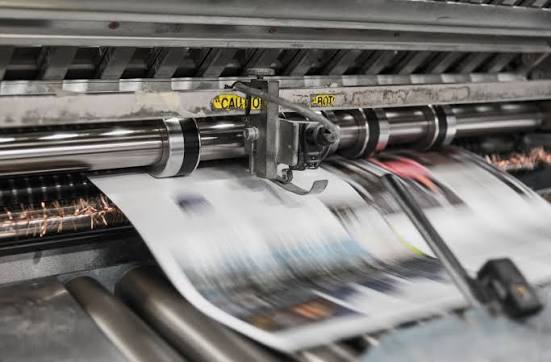
You can use printing projects to make banners, posters, T-shirts, mugs, business cards, and other items. If you print at home or manage a small shop, a bit of planning makes a big difference. Picking the right supplies, using the right tools, and testing your design before you print can help you avoid delays and extra cost. Try these tips to improve your results.
Choose the Right Materials
What you choose for materials will show up in the final output. Start by deciding what you are printing and what the item is for. For instance, paper is suitable for flyers and brochures. Custom clothing may need fabric made for printing. Also, confirm that your supplies are compatible with your printer. When the materials match the printer, you usually get sharper results and less wasted work.
Use Good-Quality Ink
Low-grade ink can cause faded output, weak color, or uneven coverage. Select ink that works with both your printer and the material you plan to use. For heat transfer on compatible blanks, dye sublimation ink can produce bold, detailed prints. To do this, you need the right printer, the correct transfer paper, and a heat press. Read the instructions for your tools and ink to print with fewer issues.
Plan Your Time and Budget
Set a clear plan so you can finish on schedule and within budget. Before you start, estimate what you will spend on ink and paper. Add money for extra supplies and related items. Do not forget to allow time for trial prints and to fix any errors that show up. If you are doing work for a client, confirm the artwork, the count, the cost, and the delivery date before the first print. This reduces mix-ups and helps you meet the customer’s expectations.
Check Your Design Before Printing
A tiny design slip can cost paper, waste ink, and raise expenses. Stop before you print. Recheck the words, the photos, the color choices, and the page setup. Check whether the type is readable at a normal distance. Also confirm the images look sharp. Measure the size of the design and compare it with the item you will print on. If you can, print one sample first. That sample helps you spot mistakes early and fix them before you run a big batch.
Keep Your Tools Clean
Taking care of your printer can reduce common print issues. Dust can build up. Print heads can get clogged. Both can lower the final print look. Follow the cleaning and care steps from your printer’s manufacturer. If the manual says to run the printer periodically, do so. Store ink and paper in dry, safe conditions. Good habits can keep things working longer and cut down on pricey service.
Focus on Quality
Check your printed work after it is done. Do this before you give it to others or use it in your own work. Scan for text that is not clear. Check for missing parts. Look for uneven color or streaks. Throw out damaged pieces. Fix what you can before you move on. If you can, ask customers what worked well and what felt off. Small checks can build confidence in your work over time.
